

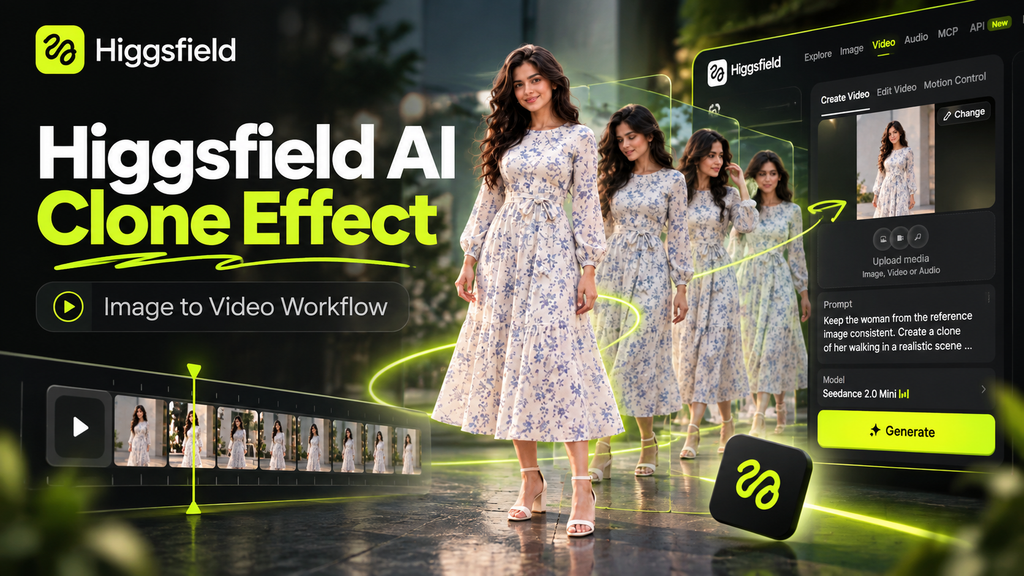
The image below shows the basic idea behind this tutorial: a single clean reference image is used as the starting point, then Higgsfield AI transforms it into a stylized clone-effect video workflow suitable for short-form social content.
Can one still image become a short viral-style clone video? In this tutorial, I’ll show the exact workflow we used to turn a single AI-generated portrait into a vertical clone-effect video with Higgsfield AI.
The workflow is simple: create a clean full-body reference image, upload it to Higgsfield, choose a video model, describe the clone effect clearly, and generate a short 9:16 result for Reels, Shorts, or Pinterest.
Watch the clone-effect Short:
Affiliate disclosure: This article contains affiliate links. If you subscribe through them, Noor AI Academy may earn a commission at no additional cost to you.
What We Created
For this experiment, we wanted a simple visual idea that could work well in short-form content: one woman appearing as multiple identical clones in the same scene.
Instead of starting with a complicated video, we created one clean reference image first and used that image as the visual source for the AI video.
Step 1: Create a Clean Reference Image
The reference image was created with ChatGPT Image. We intentionally used a simple composition so the video model could identify the subject clearly.
The image included:
- one adult woman
- a modest floral dress
- a full-body pose
- both hands visible
- a clean, uncluttered background
- no text, logos, or extra objects
This is important because AI video models usually perform better when the source image has a clear main subject and fewer competing visual elements.
Step 2: Upload the Image to Higgsfield
Next, we uploaded the reference image into Higgsfield and used it as the starting image for the video.
For our test, we used a short vertical social-video setup:
- Model: Seedance 2.0 Mini
- Duration: 4 seconds
- Aspect ratio: 9:16
- Resolution: 480p
- Audio: Off
These settings were chosen because the goal was a quick visual experiment for social media rather than a long cinematic production.
Note: Higgsfield model availability, credit costs, free generations, and plan limits can change. Always check the generation cost shown in your account before starting a render.
Step 3: Use a Clear Clone-Effect Prompt
Here is the prompt we used for the clone-style video:
A graceful woman in a modest floral dress steps naturally toward the camera while identical clones appear around her in synchronized positions. Clean cinematic movement, elegant fashion-style viral effect, realistic body motion, strong visual symmetry, polished social-media look, vertical 9:16. Keep her face, dress, hairstyle, and identity consistent across all clones. No text, no distortion.
Why This Prompt Works
The prompt gives the model four important instructions:
- Subject consistency: keep the same face, hairstyle, dress, and overall identity.
- Movement: make the subject step naturally toward the camera.
- Effect: create multiple identical clones around the main subject.
- Format: keep the result polished and suitable for vertical short-form video.
Rather than describing dozens of visual details, the prompt focuses on the main transformation we actually want.
How to Improve the Result
If the clones look inconsistent, simplify the prompt and reduce extra scene details. A cleaner reference image can also help. If the face changes too much, emphasize identity consistency and avoid asking for extreme camera motion.
For social media, short generations are often useful for testing an idea before spending more credits on longer or higher-resolution versions.
Where This Workflow Can Be Used
The same method can be adapted for:
- fashion-style clone effects
- surreal social videos
- music-video concepts
- creator intros
- AI visual experiments
- Reels, Shorts, and Pinterest video content
Related Higgsfield Tutorials
If you want to explore more Higgsfield workflows, you can also read:
How to Create a Luxury Product Ad With Higgsfield AI
How to Turn a Still Image Into a Cinematic Video With Higgsfield AI
Final Takeaway
This experiment shows a practical way to create a clone-style AI video without starting from complex footage. A clear full-body image, a focused prompt, and a short vertical generation are enough to test the concept quickly.
The most important lesson is to keep the first test simple. Once the identity and clone effect work reliably, you can experiment with different outfits, locations, camera movements, and longer scenes.