

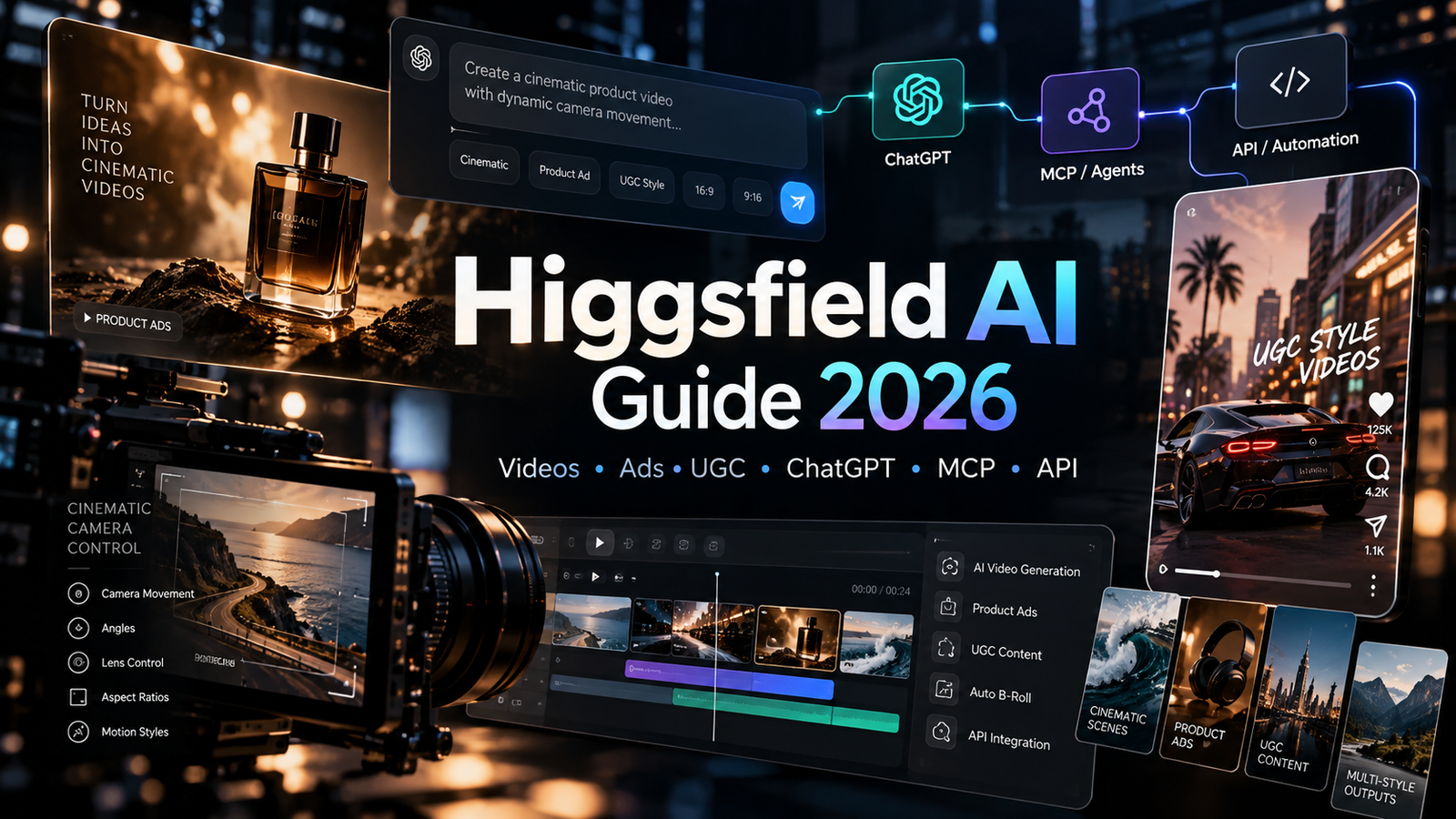
Higgsfield AI has grown beyond a single AI video generator. It now combines cinematic video creation, product advertising, UGC-style content, image generation, character workflows, agent integrations, MCP access, and a separate developer API in one ecosystem.
This guide is designed as a living hub. Instead of publishing one disconnected article for every experiment, we will keep the big picture here and link each practical tutorial to a focused step-by-step post. If you only need one workflow, jump straight to that section. If you want to understand the whole platform, continue through the full guide.
Affiliate disclosure: This article contains affiliate links. If you subscribe through them, Noor AI Academy may earn a commission at no additional cost to you.
Quick Navigation
- What Is Higgsfield AI?
- What Can You Do With Higgsfield?
- Marketing Studio
- Two Ways to Add a Product
- VELORA NOIR Product Ad Tutorial
- UGC Videos
- Cinema Studio
- Character Consistency
- Ad Multiplier
- Higgsfield + ChatGPT
- Higgsfield MCP
- Higgsfield API
- Automation Ideas
- Pricing and Credits
- Who Is Higgsfield For?
- Limitations and Things to Know
- How to Get Started
What Is Higgsfield AI?
Higgsfield is an AI creative platform for generating and transforming visual content. Its current toolset spans image and video generation, marketing creative, cinematic workflows, character-based content, and integrations that let creators or developers work from other tools instead of staying inside one web interface.
That distinction matters. If you judge Higgsfield only by a single text-to-video result, you miss much of what makes the platform useful. Its strength is the workflow around generation: products, templates, campaign formats, reusable characters, camera controls, agent connections, and developer access.
What Can You Do With Higgsfield?
Depending on the workflow, Higgsfield can be used to create product ads, social video, UGC-style content, cinematic clips, product shots, posters, marketplace creative, motion-based content, consistent characters, and automated image or video generation.
For creators, this means you can move from a product image to a finished marketing asset without building every part from scratch. For technical users, the same ecosystem can also be connected to AI agents through MCP or called programmatically through the Higgsfield API.
Higgsfield Marketing Studio
Marketing Studio is the commercial-content workspace inside Higgsfield. Higgsfield currently describes it as a template-first system with more than 1,500 templates across six broad categories: Product Shots, Ads, Marketplace, Posters, UGC Videos, and Motion. A prompt-based creation path is also available when a template does not fit the idea.
One reason this matters for marketers is speed. Instead of beginning with a blank prompt every time, you can start from a format that already matches a specific commercial use case, connect your product, and then generate.
Official Higgsfield Marketing Studio overview
Two Ways to Add a Product in Higgsfield
For practical marketing workflows, there are two useful ways to start with a product.
Method 1: Add a Website or Product URL
If your product already has a public page, Marketing Studio can accept supported website or product-page links. This is convenient because the page can provide the product context and visual material.
However, URL import is not guaranteed to work with every page. In our VELORA NOIR test, a temporary Hostinger URL returned an “Invalid product URL” message, so we switched to manual upload.
Method 2: Upload Product Images Manually
This was the method that worked for our first Higgsfield affiliate experiment. We uploaded the VELORA NOIR product visuals manually, created the product inside Marketing Studio, selected the strongest bottle image, and used it as the input for the video.
Manual upload is especially useful when you want full control over which product image the model sees.
Case Study: VELORA NOIR Luxury Perfume Ad
Our first practical test used a fictional perfume brand called VELORA NOIR. We created the product concept and visual identity first, then used Higgsfield to turn a product image into a short vertical luxury ad.
The workflow was:
- Create a fictional luxury product and a small visual identity.
- Prepare several product images.
- Add the product manually in Higgsfield Marketing Studio.
- Ask ChatGPT to help structure the video prompt.
- Select a visual style.
- Set the output to 9:16 for Shorts, Reels, and Pinterest video.
- Generate the final clip.
For our first test we used Dark Minimalism, 9:16, and a 5-second output.
Prompt used:
Create a premium cinematic luxury perfume commercial for VELORA NOIR. Keep the black glass perfume bottle as the hero product and preserve its original design and label. Use a deep black background, warm golden rim lighting, elegant reflections, subtle drifting smoke, macro close-ups, slow cinematic camera movement and sophisticated luxury fragrance advertising aesthetics. Add subtle visual hints of bergamot, amber and sandalwood. No people, no hands, no presenter, no dialogue, no generic ecommerce look. Make the first second visually striking and finish with a clean hero shot of the VELORA NOIR bottle.
For the detailed step-by-step version, see How to Create a Luxury Product Ad With Higgsfield AI.
UGC Videos
Higgsfield includes UGC-oriented video formats designed around creator-style social content. These can be useful for product demonstrations, direct-to-camera formats, unboxing-style concepts, tutorials, testimonials, and other short-form commercial structures.
This is an area where we will test Higgsfield separately rather than treating it as just another cinematic video model. The question is not only “How beautiful is the clip?” but “How quickly can a creator turn a product into usable social content?”
Cinema Studio
Cinema Studio is aimed at more deliberate filmmaking control. Higgsfield’s current documentation describes Cinema Studio 4.0 as the version with its deepest cinematography controls, including a Director’s Panel, camera and optics controls, reusable references, and clips up to 30 seconds.
For creators who care about framing, lens choice, camera movement, lighting, color, and shot design, this is one of the most important areas to test.
Character Consistency and Reusable Subjects
Another important use case is keeping a character or subject recognizable across multiple generations. This becomes useful when you want recurring presenters, brand characters, story sequences, or multiple pieces of social content that should feel connected.
We will cover this in a separate tutorial because character consistency needs to be judged across several outputs, not from one generation.
Ad Multiplier
Ad Multiplier is useful when you already have a strong ad and want multiple edited variations instead of rebuilding the whole concept from zero. That makes it especially interesting for performance marketing, creative testing, and adapting one idea for different audiences or products.
Our dedicated test will focus on a simple question: how much useful variation can we create from one strong base ad while keeping the original timing and structure recognizable?
Higgsfield + ChatGPT
Higgsfield can also be used from ChatGPT through the official Higgsfield plugin. This changes the workflow: instead of moving back and forth between a chat assistant and a creative platform, you can plan the content, write the prompt, and use connected Higgsfield capabilities from the same conversation.
This is especially useful when your workflow already begins in ChatGPT—for example, drafting a campaign concept, improving a prompt, generating several creative directions, or preparing a repeatable tutorial.
Official Higgsfield AI-agent connection guide
Higgsfield MCP
MCP, or Model Context Protocol, lets compatible AI agents connect to external services and call their tools. Higgsfield’s MCP connection can be used with supported agents such as Claude and other MCP-compatible clients, while ChatGPT uses the Higgsfield plugin route.
Higgsfield notes that MCP uses the credits in your existing Higgsfield account and is different from the separate developer API.
Official Higgsfield MCP overview
Higgsfield API
The Higgsfield API is a separate developer product. According to Higgsfield’s current documentation, it offers self-serve access to more than 50 current image and video generation models with pay-as-you-go billing.
This opens a different set of possibilities. Instead of generating manually, a developer can connect generation to an app, an internal tool, a content pipeline, or an automation system. The API is billed separately from a normal Higgsfield website subscription.
Official Higgsfield API overview
Automation Ideas
Once an API or agent connection is available, Higgsfield can become one step inside a larger content workflow. A future Noor AI Academy experiment could look like this:
Idea list → prompt drafting → product or reference selection → Higgsfield generation → quality check → WordPress draft → social-media assets.
For automation, the most important question is not whether every step can be automated. It is where automation saves repetitive work without removing the human review that protects quality, accuracy, and brand consistency.
Pricing and Credits
Higgsfield pricing can change as models, plans, and unlimited-generation offers change. Before choosing a plan, check the current pricing page and pay attention to which workflows use credits, which models are included, and whether a feature has separate billing.
This is especially important for MCP and API users: MCP uses account credits, while the API is a separate pay-as-you-go product.
Who Is Higgsfield For?
Higgsfield is especially relevant to creators, marketers, small businesses, social-media teams, ecommerce brands, filmmakers, and developers who want more than a single text-to-video box.
The most interesting users are those who need a repeatable workflow: turning products into ads, generating several creative variants, controlling cinematic shots, building recurring characters, or connecting generation to a larger system.
Limitations and Things to Know
No AI video platform should be judged from one successful generation. Results vary by model, prompt, input image, selected style, duration, and workflow. Some website URLs may fail to import. Text and labels may drift. Product identity can change across difficult shots. Credit costs can also make repeated testing expensive.
For that reason, our Higgsfield series will focus on real workflows and real outputs. When something fails, we will include that too.
How to Get Started
If you are new to Higgsfield, start with one clear use case rather than trying every tool at once. A simple product ad is a good first test because it lets you evaluate product preservation, motion, style, format, and generation cost in one workflow.
Higgsfield Tutorials on Noor AI Academy
- How to Create a Luxury Product Ad With Higgsfield AI
- Higgsfield UGC tutorial — coming next
- Higgsfield Ad Multiplier tutorial — coming next
- Higgsfield Cinema Studio tutorial — coming next
- Higgsfield + ChatGPT / MCP workflow — coming next
- Higgsfield API automation tutorial — coming next
Related: If you are comparing AI video workflows, you may also like Google Flow for AI Video Creation.






Comments 3