

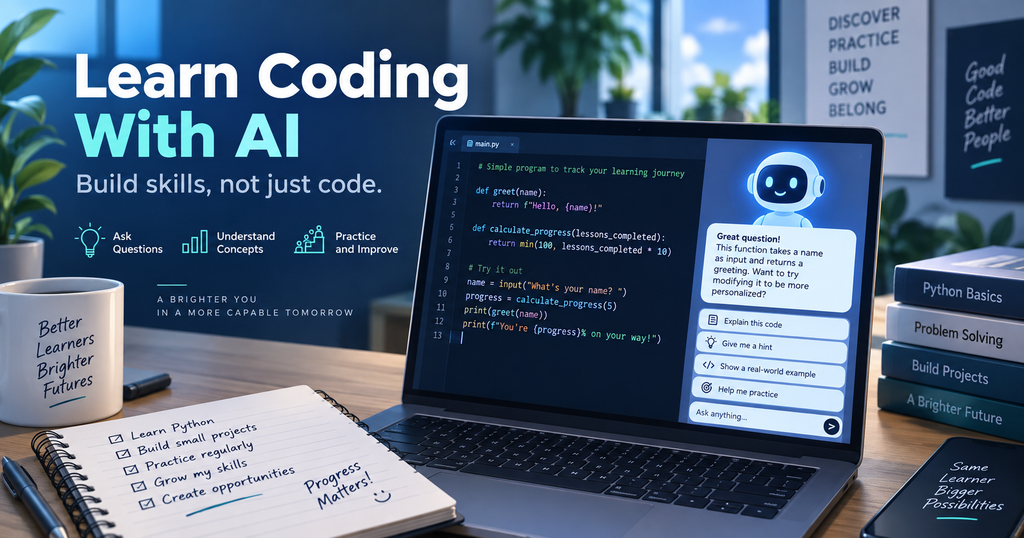
Learning how to code with AI is becoming easier—but learning how to think like a programmer still requires practice.
Modern AI coding tools can generate functions, fix bugs, refactor files, write tests, and sometimes complete substantial programming tasks. OpenAI’s Codex, for example, is available across ChatGPT, editor workflows, the terminal, and the Codex app, and OpenAI describes it as a coding agent for tasks such as implementation, testing, refactoring, and code review. GitHub’s Copilot tools can also assist with coding and review workflows. The opportunity is powerful, but it creates a new learning problem: a student can finish a working project without understanding how it works.
The better question is not simply, “Can AI write this code?” It is: How can you learn coding with AI while still doing the thinking yourself?
For beginners who want to learn coding with AI, a simple Python project is a useful way to demonstrate the difference.
Learn Coding With AI Through a Small Python Project
Imagine you want to build a simple command-line study tracker. The first version does not need a database, a web interface, or advanced features. It can simply ask what subject you studied, how long you studied, and what topic you covered, then display the result.
This small project is enough to practice variables, input(), output, data types, functions, conditions, loops, and later lists or dictionaries. The purpose is not to build the most impressive app. The purpose is to understand every step.
A small program you understand is more valuable for learning than a large program you cannot explain.
1. Ask AI to Plan Before It Codes
A common beginner prompt is: “Build me a Python study tracker.” That may produce a complete program immediately, but it removes many of the decisions that help you learn.
Instead, ask AI to break the project into small tasks and give you only the first one.
Reusable prompt: I’m learning Python and I want to build a simple study tracker. Do not write the complete program for me. Break the project into small beginner-friendly tasks and explain which Python concept I will learn from each task. Give me Task 1 only. Let me write the code myself before you give me any solution.
This changes the role of AI from code generator to tutor. You still get structure and guidance, but you remain responsible for the implementation.
2. Make the First Attempt Yourself
When the AI gives you Task 1, move to your coding environment and write the first attempt yourself. Do not worry about making it perfect.
Your version may contain a syntax mistake, a wrong variable name, or an incorrect assumption. That is useful. Programming skill develops when you predict what code should do, run it, observe what actually happens, and then correct the difference.
If AI removes that entire cycle, it also removes part of the learning.
A useful rule is:
Attempt first. Ask for help second.
3. Debug With One Hint, Not a Full Rewrite
Suppose your program produces an error such as:
NameError: name 'x' is not definedYou could paste the code into an AI assistant and ask it to fix everything. That would probably be faster. But if your goal is to learn, a better approach is to ask the AI to explain the error and give you only one hint.
Reusable prompt: I’m learning Python and my code produced this error. Do not rewrite my code and do not give me the corrected solution. First explain what the error means in simple language. Then give me ONE hint about what I should check. Let me try to fix it myself.
Now the AI helps you investigate instead of replacing the investigation.
This is especially valuable for common errors such as NameError, TypeError, IndexError, or incorrect indentation. The goal is to gradually recognize patterns so that you become less dependent on AI over time.
4. Ask Why Every Important Change Works
AI-generated code can look convincing even when you do not understand it. Create a rule for yourself: no unexplained code enters the project.
If the AI suggests a list, ask why a list is appropriate. If it introduces a function, ask what problem the function solves. If it changes a variable type, ask what would happen without that conversion.
For example, if your study tracker stores several sessions, you may later see code using a list of dictionaries. Do not simply accept it. Ask what each structure represents and why it is useful.
The objective is not to memorize syntax. It is to understand the logic well enough to reproduce it.
5. Predict Before You Run the Code
One of the simplest ways to turn AI-assisted coding into a learning exercise is to add a prediction step.
Before you press Run, ask yourself:
What do I expect this program to output?
Then run it and compare the result with your prediction.
If the output is different, that difference becomes a learning opportunity.
Reusable prompt: Based on the Python code I wrote, ask me three short prediction questions, one at a time. Show me a small input and ask what I think the output will be. Do not reveal the answer until I respond. If I am wrong, explain which Python concept I misunderstood.
This tests your mental model rather than your ability to copy code.
6. Let AI Test Whether You Actually Understand
Getting the code to run is not the end of the learning process.
After you fix a bug or complete a feature, ask the AI to test your understanding of your own code.
Reusable prompt: Now test whether I actually understand the code I wrote. Ask me 3 short questions, ONE at a time. Do not tell me the answer until I respond. Focus on the Python concepts used in my code. If I’m wrong, explain the concept and let me try again.
The AI might ask why you used input(), what a variable stores, what data type is returned, or what would happen if the user entered unexpected input.
This is an important shift. You are no longer asking:
“Does my code work?”
You are asking:
“Do I understand why it works?”
7. Use AI for Code Review After the Basic Version Works
Once the program works, AI becomes useful in another role: reviewer.
Ask it to identify duplicated logic, unclear variable names, missing input validation, unnecessary complexity, and possible edge cases. But do not accept every suggestion automatically.
Ask the AI to explain why each improvement matters, then implement changes one at a time.
This reflects an important professional practice. AI-assisted code still needs human review. GitHub’s documentation around Copilot code review treats AI review as part of a broader pull-request workflow rather than a replacement for engineering judgment.
8. Add Tests Before Adding More Features
Before expanding the app, think about what could break.
What if the user enters zero minutes? What if they type text where a number is expected? What if no study sessions exist yet? What if a subject name is blank?
Ask AI to help you identify edge cases, but try writing at least some of the tests yourself.
Reusable prompt: Review this small Python program and identify five edge cases I should test. Do not write the tests yet. Explain why each case matters. After I choose one, help me write the test and explain every assertion.
This teaches testing as part of development instead of treating it as an afterthought.
9. Rebuild One Part Without AI
After finishing the first version, close the AI assistant and rebuild one small part from memory.
Try recreating the input section, a function, a calculation, or a validation rule. If you cannot reproduce it, return to that concept and review it.
You do not need to memorize every line. You do need to understand the logic well enough to reconstruct the solution.
This is the moment that reveals whether AI supported your learning or replaced it.
AI Coding Agents Are Powerful—So Your Workflow Matters More
Current coding agents can do far more than autocomplete a line. OpenAI describes Codex as a coding agent that works across ChatGPT, the editor, terminal, and desktop app, while its Codex app supports multi-agent and parallel workflows. These capabilities can accelerate real software development significantly. But for learners, more automation is not automatically better.
If you are practicing loops, allowing the AI to write every loop defeats the exercise. If you already understand loops and are focusing on architecture, letting AI handle repetitive syntax may be completely reasonable.
The key question is:
What skill am I practicing right now?
Protect that part of the task from excessive automation.
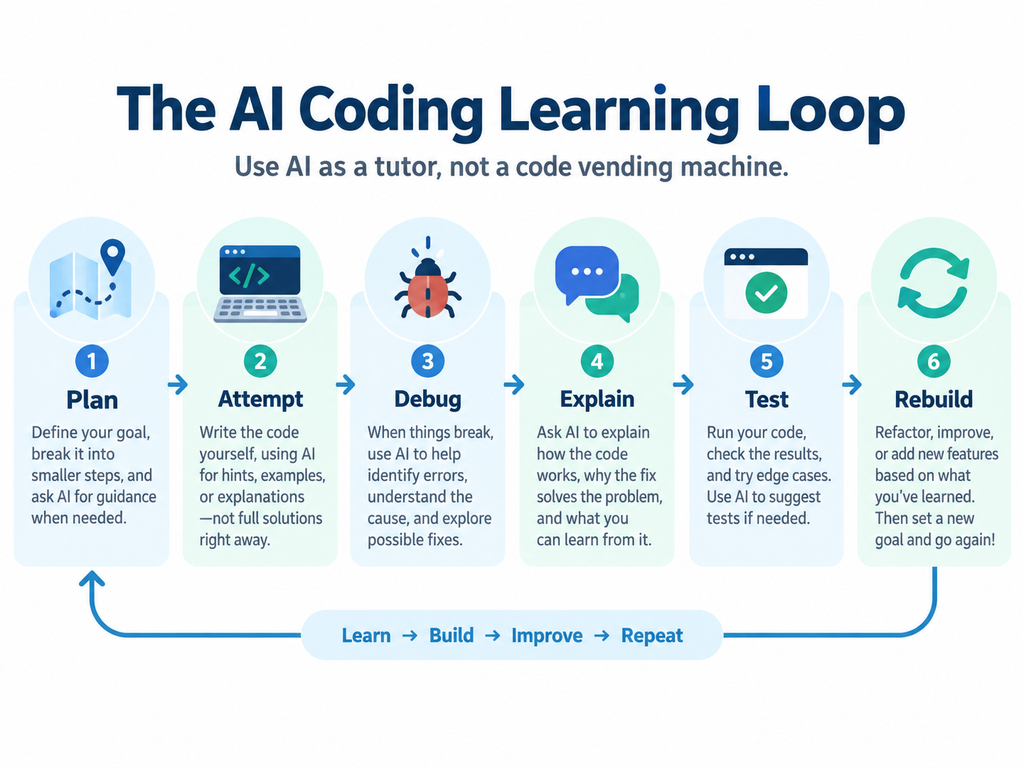
A Better AI Coding Learning Loop
A practical way to learn coding with AI is to follow a repeatable learning workflow like this:
PLAN → ATTEMPT → DEBUG → UNDERSTAND → TEST
Plan the task with AI. Attempt the code yourself. Debug with explanations and hints. Understand why the fix works. Then test your own understanding.
AI can participate at every stage without replacing you.
This is how you learn coding with AI without turning programming into copy-and-paste.
Build with AI. Keep the understanding yours.
Official and Reliable Sources
Related reading: How to Study With AI Without Letting AI Do the Thinking for You and GPT-6 Astra Prompts: 3 Practical Workflows for Research and Work.




Comments 2